Local Law 3 took effect in New York City in January 2022, and it already changes what a property manager can legally do with some of the “smart” features vendors pitch on every camera quote. Most of the buildings we talk to have no idea this law exists until we bring it up, which tells you something: the AI features are moving faster than the paperwork around them, and the paperwork matters.
What “AI Video Analytics” Actually Means
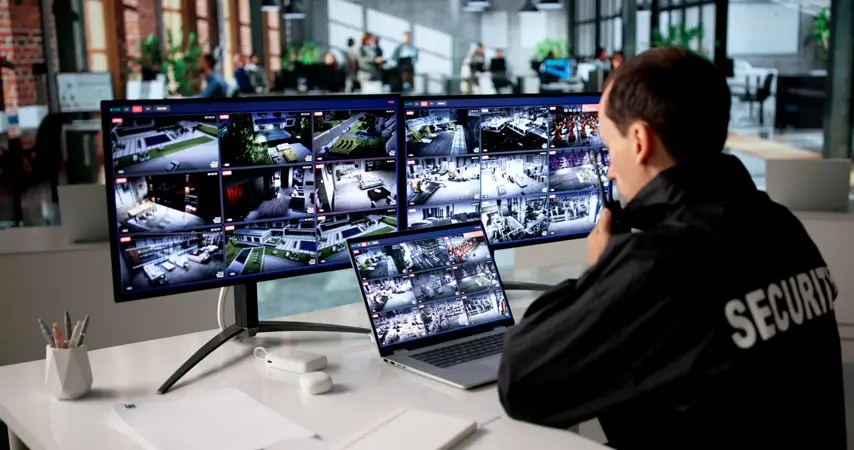
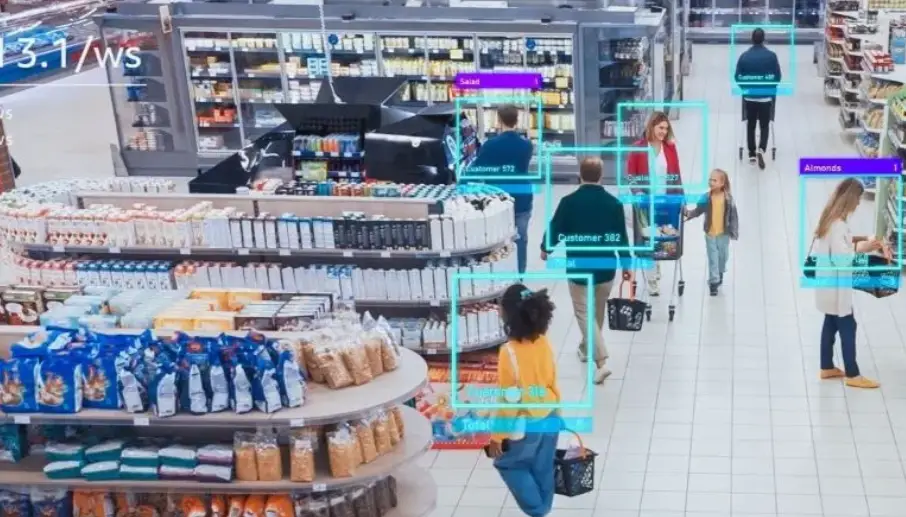
Strip away the marketing language, and it comes down to this: instead of a camera just recording motion, the system runs the video through a model — usually right on the camera itself, which is what “edge-based” means — that sorts what it sees into categories. A person is not the same as a car. A car is not the same as a shopping cart blowing across a parking lot. That sorting is the whole point, and it’s what separates a real analytics system from a motion-detection camera with a new sticker on the box.
Once a system can tell the difference between a person and a raccoon, it can do useful things with that distinction: alert on a person entering a loading dock after hours, ignore the raccoon, and stop paging the super every time a shadow moves across the lens. That last part — cutting down false alarms — is honestly the feature that pays for itself fastest, because it’s the difference between staff actually watching the alerts and staff learning to ignore all of them.
What It’s Actually Good For
License plate recognition is the most mature version of this. Modern systems can read plates on vehicles moving at real speed with accuracy in the mid-90s percent range, which matters for a gated garage or a loading dock where you need to know who came and went without a guard writing plates on a clipboard.
Appearance-based search is the other big one, and it’s easy to confuse with something it isn’t. This feature tags a person in the video with visible attributes — clothing color, general build, whether they’re carrying something — so staff can search “everyone in a red jacket between 6 and 7 p.m.” across every camera on the property instead of scrubbing eight hours of footage by eye. It’s a huge time-saver during an actual incident. It is not identifying who that person is. It’s describing what they look like, the same way a witness statement would.
Beyond that, there’s a growing list of specialized detection: someone crawling or lying on the ground, a slip-and-fall in a lobby, aggressive body language between two people, someone slipping through a door behind a resident who badged in (piggybacking). Each of those is a narrower, purpose-built model, and they vary a lot in how well they actually perform outside a demo video, which is worth pressing a vendor on before you buy.
Where the Legal Line Actually Is
Here’s the distinction that matters most, and it’s the one most sales pitches skip past: appearance search and object detection are not facial recognition. Facial recognition converts someone’s face into a biometric template used to identify them specifically. That’s a different category of technology, and in New York City it can run into Local Law 3, which requires certain commercial establishments — the law specifically covers retail stores, food service, and entertainment venues — to post signage before collecting biometric identifier information, and bars them from selling it.
Most apartment buildings and general office lobbies aren’t the specific “commercial establishment” category that law targets, so it may not apply directly to a typical residential property. But the reasoning behind it is worth taking seriously anywhere a camera system is going in: if a feature is capturing and converting someone’s face into biometric data to identify them by name, that’s a materially different legal conversation than a feature that detects “a person walked through frame” or “that vehicle’s plate is 4XYZ123.” Before you sign a contract for any feature marketed as facial recognition specifically, that’s a conversation for your building’s attorney, not just your camera vendor. We flag it for every client considering it, and we’d rather a board ask its lawyer a question that turns out to be unnecessary than skip that step.
What This Costs
Based on MetroCom’s own published pricing, a camera system with this kind of analytics typically runs $500 to $3,000-plus per site depending on camera count and which analytics features are included, with installation labor billed separately in the $100-to-$200-per-hour range. The wide range exists because “analytics” isn’t one feature — a basic person/vehicle detection package costs a lot less than a system running LPR across every entrance plus appearance search across the whole property, and the camera hardware itself scales with resolution and count.
One Disclosure Worth Making Plainly
MetroCom is an installer and systems integrator, not a manufacturer. The analytics described here run on hardware and software from companies like Axis Communications, Hanwha Vision, Vivotek, Digital Watchdog, and similar manufacturers — we spec, install, configure, and support these systems, but we don’t build the underlying AI models or the cameras themselves. That’s worth knowing because it means our recommendation is based on what fits your building and budget, not on which manufacturer we’d rather move.
Frequently Asked Questions
Is “AI video analytics” just a marketing term for motion detection?
Not when it’s done right, but it’s fair to be skeptical. True analytics classifies what it sees — person, vehicle, animal — rather than just flagging that something moved. Ask a vendor to show you a live false-alarm comparison, not just a spec sheet, before you assume the AI label is doing real work.
Does adding analytics mean I need new cameras, or can it run on what I already have?
It depends on the camera. Some analytics run on the camera itself and need newer, more powerful hardware; others run on a central server or NVR and can layer on top of existing cameras if those cameras are good enough quality to begin with. This is very site-specific, which is why it gets evaluated on a walkthrough.
How long is footage and analytics data actually stored?
That’s a setting in your building controls, not a fixed rule, and it should be decided deliberately rather than left on a default. Retention windows we commonly see run 30 to 90 days, balanced against storage cost and any specific incident-investigation needs your property has.
Do we need a lawyer involved before installing any of this?
For basic object and vehicle detection, most buildings don’t need special legal review beyond normal camera-notice practices. For anything marketed specifically as facial recognition, yes — get your attorney’s input before signing, given how fast the legal landscape around biometric data is moving in New York and elsewhere.
What This Means for Your Building
If you’re evaluating a camera upgrade and a vendor is leading with AI features, it’s worth a plain-language walkthrough of what each feature actually does before you compare prices. MetroCom’s AI-powered security camera installation covers the camera, analytics, and NVR side of that conversation, and it’s often paired with our door access control systems so a piggybacking alert and an access log are looking at the same event.