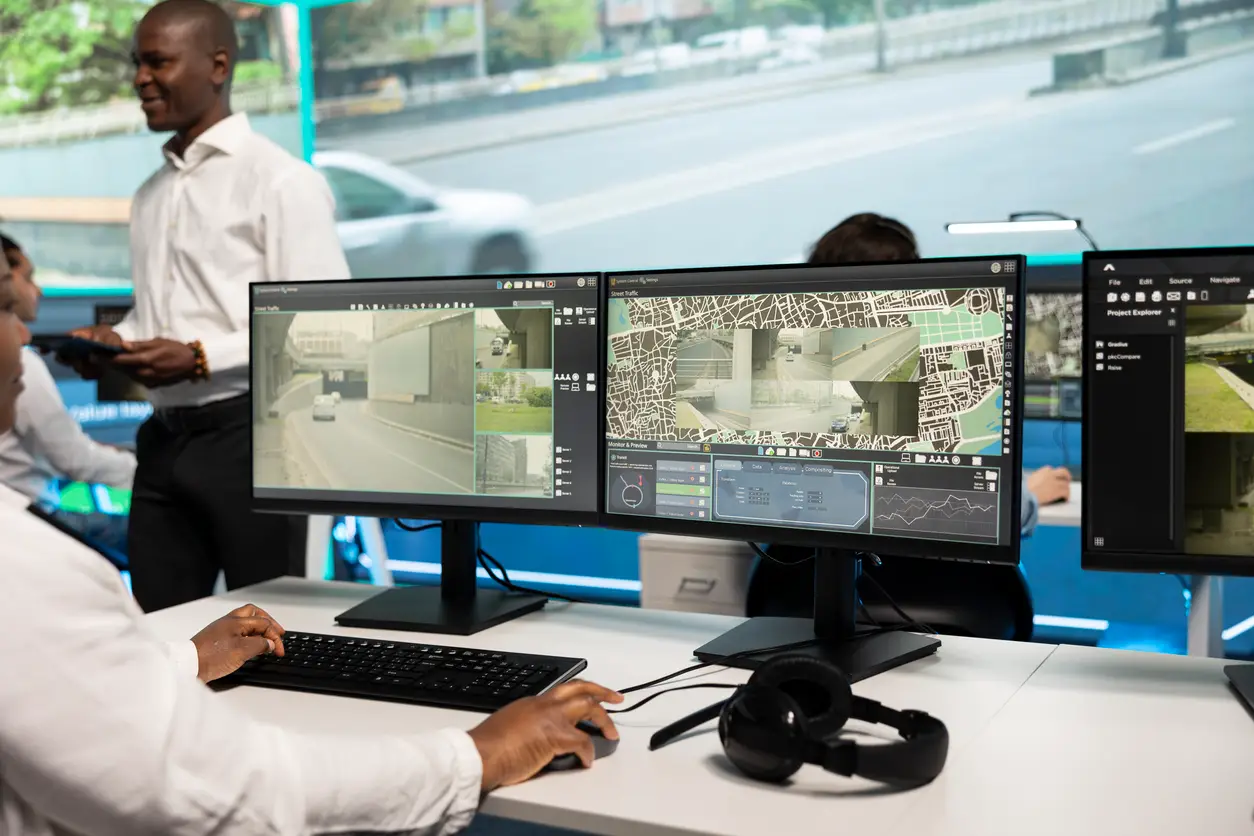
Imagine a security operator watching several camera feeds when an important event appears on one screen. If the display is too small, poorly positioned, or difficult to read, finding that information can take longer than it should. In a control room, where operators may monitor systems for long shifts, the video wall needs to do more than look impressive. It needs to make important information clear, accessible, and comfortable to view.
A control room video wall brings multiple information sources into one shared visual space. But choosing a few large screens is only the beginning. Room layout, viewing distance, display size, resolution, lighting, and operator comfort all affect how well the finished system works. This guide explains the key points businesses should consider before planning a video wall for a security, operations, or monitoring environment.
What Is a Control Room Video Wall?
Before we proceed with how a control room video wall is planned, let’s know what it is first.
A control room video wall is a large display made up of multiple LCD panels that give you easy access to several sources from just one place. It can be used to monitor security cameras, transport activity, or collect real-time data.
Rather than having an individual working space on desktop monitors, the main goal is to have a shared operational view. This approach gives flexibility to work as a unit, as all the information allows the team to share information in a timely manner among each member of the team. It is not about replacing individual operator working stations but about having a larger overview to perform detailed tasks.
This system becomes extremely useful at security operations centers, healthcare spaces, manufacturing sites, and other commercial properties.
Planning Your Control Room Video Wall
Organizing your resources effectively is one of the most valuable pieces of advice for any commercial space.
Many factors associated with the physical space determine the size of the wall, where it should be placed, and what type of technology will work best. So, long before a display plays its role, good planning in the room is what makes it all happen.
Room Layout
First, start by measuring the wall space. Make sure the wall is positioned around the natural viewing area so that operators don’t have to strain themselves by constantly turning their heads.
Look for proper operator desks, windows, doors, and other cable routes.
Lighting is important, so pay special attention to it. But why?
Windows and other lighting can create reflections that may make it harder to read and view the display. Therefore, at the design stage, make sure that anti-reflective measures are considered carefully.
Viewing Distance
The distance between the operator and the display wall matters. It determines pixel pitch and what display technology will work best.
Pixel pitch – a smaller pixel pitch is ideal for closer views, while a larger pixel pitch is better suited for greater distances.
LCD Walls – Factors that can affect readability are panel size, resolution, and viewing angle.
Therefore, all the factors involving distance should be well discussed so that there is no compromise when reading critical text and identifying important visual details.
Display Size
Does a larger wall mean a better display wall? No, this assumption is a misunderstanding.
The size is decided by several factors, such as what information the operator needs and at what distance they sit from the display.
Choosing the Right Video Wall Technology
LCD vs LED
If you have small or medium-sized control rooms, then LCD video walls can be a good choice. Here, operators need to sit close to the display, and LCD video walls can be more cost-effective than LED ones.
But bezels between LCD screens can become a troublesome factor sometimes, as they can interrupt a continuous flow of content when it passes from one panel to another.
LEDs give a smoother view as the display is directly formed from LED modules rather than separate panels that create visible bezels. LEDs have various pixel-pitch options. Rooms that have lighting issues can benefit from LEDs, as they provide higher brightness.
Ultimately, no technology is flawless; it’s about making the right decision and choosing what suits your space best.
Resolution Considerations
High-resolution displays are important when operators are working with smaller text and intricate camera details, as well as other information. When operators need to work with smaller text, they need to be much more careful and attentive to camera details and other information.
But does high resolution guarantee high image quality? No, other factors such as pixel pitch, distance, source quality, and the size of the screen also contribute to it.
So, it’s a cumulative effect of all the major factors that makes the best monitoring environment, not just the highest resolution available.
Common Design Mistakes to Avoid
Poor Screen Placement
The location of the mounted screen matters, and it can affect the operator’s visibility to a major extent. Therefore, lighting conditions, the best viewing angle, and position should be planned well before mounting.
Incorrect Sizing
The idea should never be to just fit the display to the wall. That can lead to wasted space and poor readability. Factors such as the operators’ viewing distance and the type of content needed should be the deciding considerations for the right display size and layout.
Ignoring Operator Comfort
Operators’ work is detailed and needs utmost attention. So, it is also important to ensure that they do not feel frustrated and uncomfortable during long hours of monitoring information. Planning brightness, viewing angles, and position is not an option anymore.
Why Professional Video Wall Design Matters
So, by now, we have a clear understanding that a professional approach to a control room video wall is not just about mounting displays; it is a joint effort where planning, technology, and the needs of operators all come together to get the job done right.
It involves identifying all the possible problems, rectifying them, and planning for them before installation.
We thoroughly discuss all factors, including room viewing positions, power requirements, signal distribution, network connections, and future expansion scopes, to arrive at the most effective solution.
Experience speaks, and providers such as MetroCom Security have got it down to a science. We identify, rectify, advise, and install what is best. A control room video wall installation solution that addresses the property’s specific security and operational needs.
Conclusion
The best control room video wall is the one where everything just clicks, making daily operations for operators stress-free.
A space where monitoring critical information is easy. Rather than just looking advanced, it is the one where everything runs like clockwork.
The right design, skilled operators, and effective monitoring are essential.
By considering room layout, viewing distance, display size, resolution, lighting, technology, and ergonomics before installation, businesses can save money, avoid possible mistakes much earlier, and create a monitoring environment that supports clear, reliable decision-making.
 (866) 470-2244 |
  concierge@metrocom.us
Also, find MetroCom on Yelp for trusted reviews and business information.